Table of Contents
The Data Handshake: Reducing Latency in DWS, WMS and ERP Integration

Warehouse Automation Specialist, Quinta
Published Date: October 5, 2026
In an automated warehouse, data has to move as reliably as the parcel itself. A DWS system captures physical information such as dimensions, weight and identification, while warehouse software uses that information to support tracking, routing and downstream processing.
The challenge begins when physical equipment and enterprise software operate with different timing, data and interface requirements. If parcel data is delayed, incomplete or rejected, the problem can move from the digital layer into the physical material-handling process.
This is the data handshake: the controlled exchange of parcel information between DWS equipment, warehouse software and automation systems so the right data reaches the right system at the right stage of the parcel journey.
Things Discussed In This Blog
| Section | What You Will Learn |
|---|---|
| DWS–WMS–ERP Data Integration | Understand how DWS data moves from physical parcel scanning into WMS and ERP systems for real-time warehouse decision-making. |
| The Millisecond Race | Learn why data latency and synchronization matter when DWS systems operate with high-speed automated processes. |
| Physical-to-Digital Error Handling | Understand how damaged barcodes, incomplete sensor data, and physical conditions can affect warehouse data quality. |
| Middleware & Validation Gates | Learn how middleware and validation checks can handle legacy system limitations and prevent invalid DWS data from disrupting the main system. |
What Is DWS System Integration with WMS and ERP?
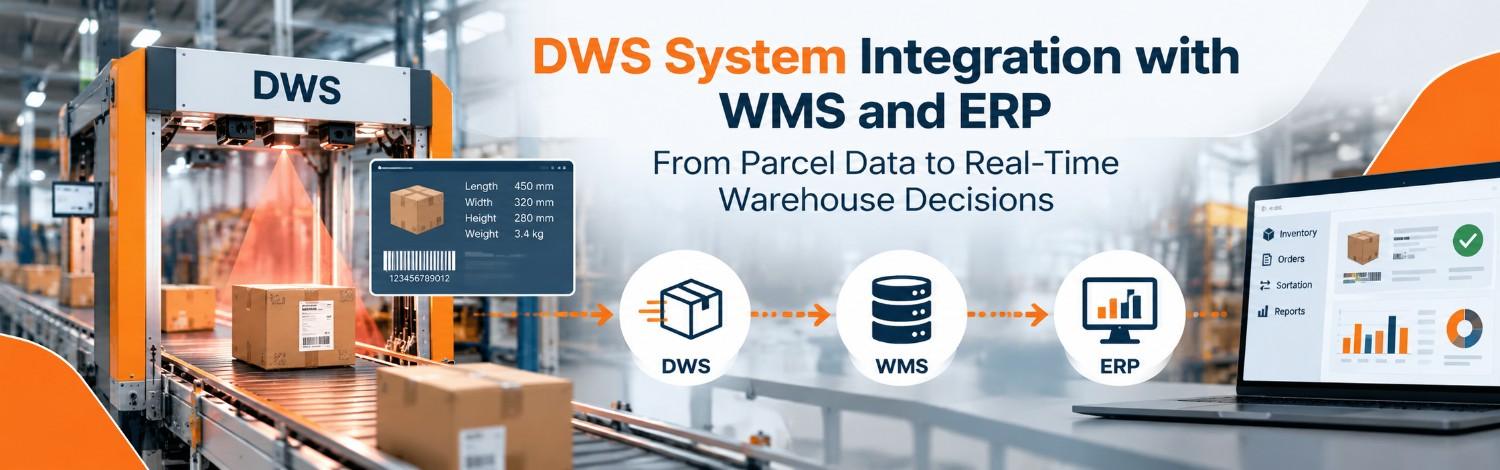
DWS stands for Dimensioning, Weighing and Scanning. A DWS system captures parcel attributes and identification data and passes that information into the warehouse software and automation workflow.
WMS manages warehouse operations and order-related information, while ERP connects warehouse activity with wider business processes.
Depending on the architecture, a WES or WCS can sit between enterprise software and physical automation to coordinate execution and equipment control.
A typical data flow can look like:
Parcel → DWS → WMS/WES → WCS → Sorter or Conveyor → Destination
The Millisecond Race: Why Latency Matters
A manual workflow processing 500 parcels per hour hides data latency behind slow human movement. At this baseline speed, a one-second delay in database checking remains invisible to the floor worker.
However, modern automated lines easily exceed a threshold of 2,500 parcels per hour. When the volume hits this level, a slow software response stops the physical conveyor belt completely.
This means a poorly built data interface causes a massive traffic jam across the warehouse floor. Your software processing limit directly becomes your absolute physical throughput ceiling.
Why Does DWS, WMS and ERP Integration Become a Throughput Problem?
At low operating volumes, small delays can remain difficult to notice because manual intervention or available conveyor time absorbs them. As automation throughput increases, the same delay can become operationally significant.
The key question is whether the complete data path can consistently complete its required steps before the parcel reaches the next physical decision point. A poorly designed interface can create queues, retries, manual exceptions or equipment waiting time.
The software and integration architecture can therefore become a practical constraint on physical throughput.
Physical to Digital Data Problem
DWS integration begins with physical sensors operating in real warehouse conditions. Dust, vibration, parcel orientation, damaged packaging and poor label quality can affect scanning, dimensioning and weighing data.
A folded or damaged barcode may result in a no-read event, while an incorrectly positioned parcel may produce incomplete or unexpected measurement data. The integration layer should treat these situations as expected operating conditions rather than assuming every incoming payload will be perfect.
How Middleware Helps Connect DWS with Legacy WMS and ERP Systems
Many warehouses operate a mixture of modern sensors, automation controllers and older enterprise applications. These systems may use different field names, data formats, message structures or validation rules.
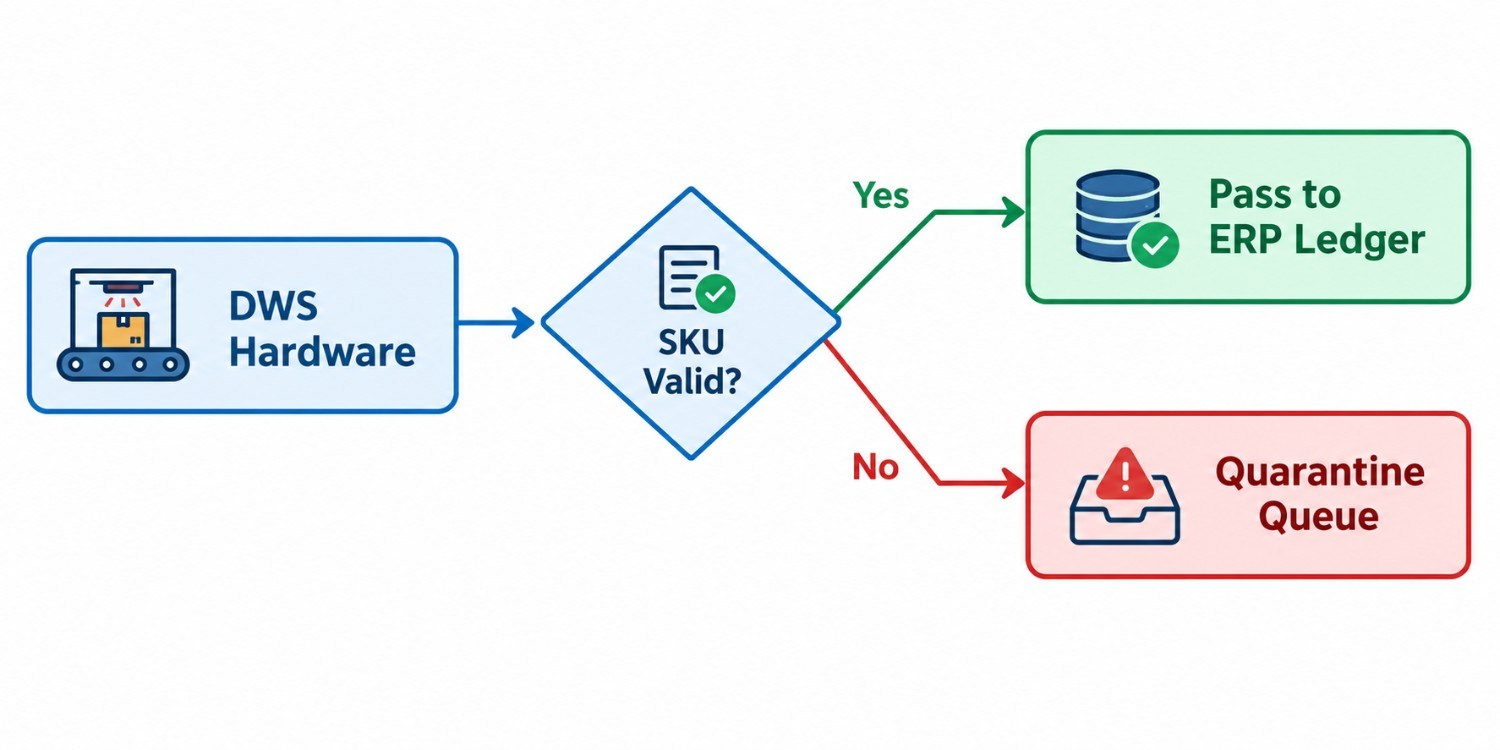
A middleware or integration layer can translate, validate and route information between these systems without requiring every physical device to communicate directly with every enterprise application.
If a DWS system produces a field that an older WMS does not recognize, middleware can validate the message, transform the required fields and route an exception when the information cannot be safely mapped.
DWS Integration with Automated Sortation
The value of DWS integration becomes especially important when measurement and identification data support automated sortation.
A typical workflow can connect DWS information with warehouse execution and control layers before a parcel reaches its assigned destination.
Parcel → DWS → Identification and Validation → WMS/WES → WCS → Cross Belt Sorter → Destination.
This is where the data handshake becomes physical: information captured at the DWS stage ultimately supports a movement decision in the automation layer.
Common DWS Integration Failure Points
- Barcode or identification no-read
- Incomplete dimension or weight payload
- Unmapped SKU or destination
- Incompatible legacy data format
- Slow database or API response
- Network communication failure
- Missing exception or retry logic
- Insufficient middleware monitoring
How to Troubleshoot DWS, WMS and ERP Integration
Trace one parcel through the complete data path. Confirm when the parcel is identified, when the DWS payload is created, when middleware receives it, when validation completes and when the downstream system returns the required response.
Then separate the problem into physical, network, middleware, database and enterprise-application layers.
This helps determine whether the bottleneck is caused by data quality, processing time, communication, configuration or exception handling.